E-commerce rebuild · Case study
We replaced eighty-one plugins with one system they own
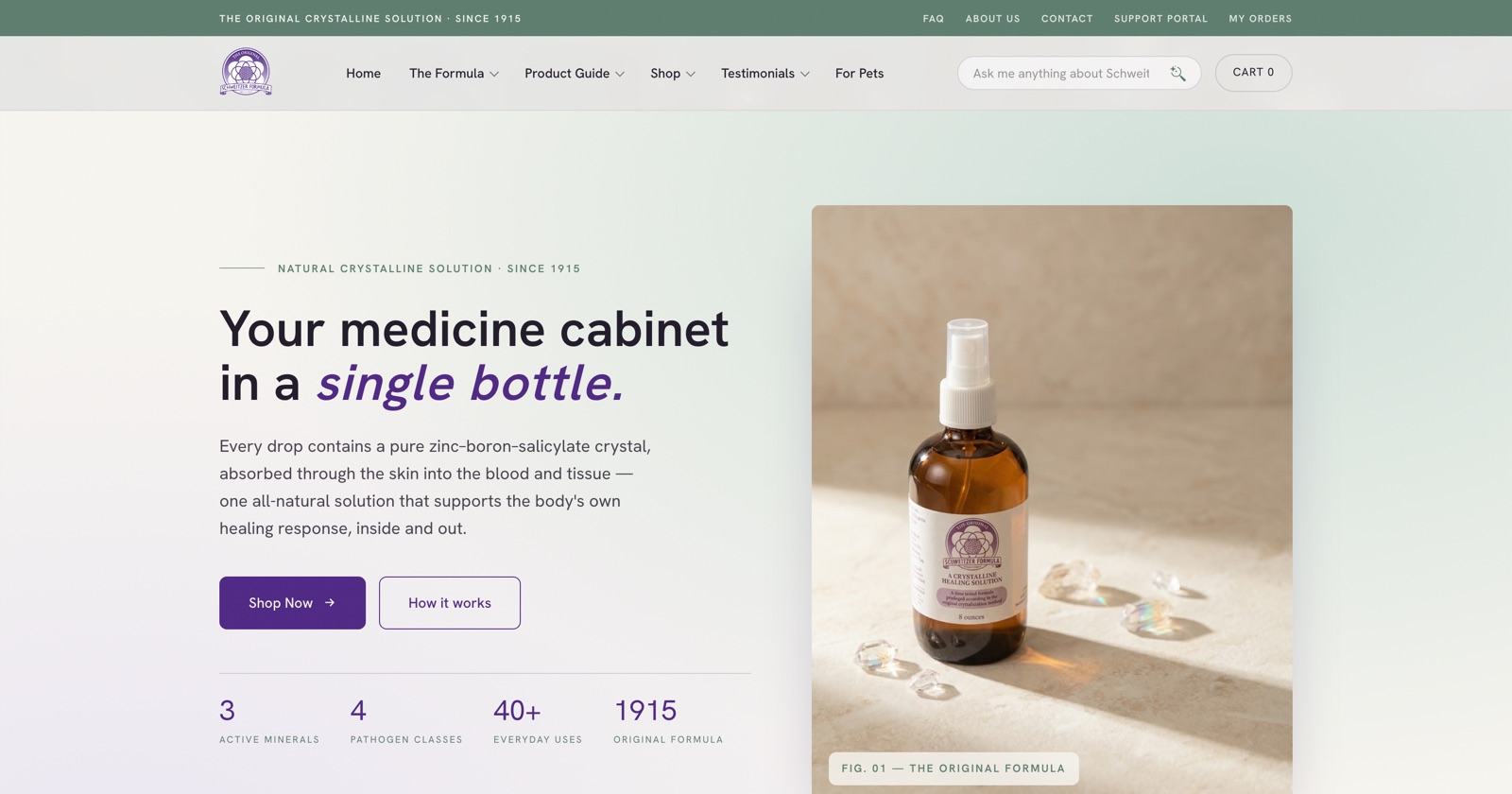
Schweitzer Formula has sold the same formula for more than a century. The shop selling it ran on 81 active WordPress plugins, 19 of them there only to patch the page builder. We rebuilt it as one system they own outright, and carried 3,945 orders of history across without retyping any of it.
What we found during discovery
Schweitzer Formula sells one product in thirteen sizes, plus a short range of wellness extras. Thirty products in total, from a company where one person answers the phone, packs the boxes and writes the emails.
So we counted what was running behind those thirty products before we proposed anything. We took a complete copy of the live site first, including a manifest of every plugin and theme with its version number, and worked from that rather than from impressions.
Thirty products needed eighty-one plugins
Eighty-one plugins were active. Another twenty-two were installed and switched off, making a hundred and three sitting in the install. Eight of the active ones were free-and-pro pairs of the same plugin, both loaded.
Underneath, the database had grown to 282 tables and 4 views, 140 MB uncompressed. It held 219,541 rows of post metadata to describe those thirty products, and 60,568 rows of user metadata for 2,308 customer accounts. None of that is unusual for a WooCommerce shop of this age. It is simply the cost of the arrangement, and it is invisible from the admin screen.
Nineteen plugins existed to patch the page builder
The site was built on Divi. Nineteen of the active plugins were Divi add-ons, each filling a gap in the builder rather than doing anything for the business: a search helper, a responsive helper, an image helper, a taxonomy helper, a table-of-contents maker, a tabs maker, a timeline module, a carousel maker.
Our favourite pairing was in the performance stack. There was a caching plugin, and alongside it a second plugin whose only job was to stop the first one caching. Both active. Neither was wrong, exactly. It is just what happens when every problem gets solved by installing something.
Fourteen plugins from a single vendor’s suite
Email marketing, forms, PDF receipts, transactional sending, support tickets, project boards, a members’ community and login security came from one vendor as fourteen separate plugins, several in free-and-pro pairs. Each had its own admin screen, its own settings, and its own renewal date.
That is the part worth sitting with. Nothing on that list was a bad product. The problem was that running a shop meant keeping a hundred-odd moving parts compatible with each other, with WordPress, and with PHP, forever, in exchange for a recurring bill.
Making purple and green work together
The brand is aubergine and sage. It is a difficult pair, and the old site had quietly given up on it in favour of the theme’s defaults.
Purple and green are awkward together because they sit on the same cool side of the wheel and turn muddy when they are given similar lightness and similar prominence. Put them at equal weight on a white page and they argue. Most sites that try it end up looking either like a childrens’ brand or like a hospital.
Three decisions made it work:
Purple carries the structure, green only supports. Aubergine
(#4f2884) does the headings, the buttons, the navigation and the totals.
Sage (#92b2a2) never competes for those jobs. It appears as accents, soft
fills and the occasional rule, which is roughly a tenth of the ink on any given page.
The hierarchy is never in doubt.
The ground is warm paper, not white. Everything sits on
#f7f5f0. Pure white forces both colours to their harshest contrast and is
what makes the pairing feel cheap. A warm off-white softens the purple and lets the sage
read as natural rather than clinical, which matters for a product sold on the strength of
being simple and old.
Two tints do the heavy lifting. A lilac mist (#ece8f3) and
a soft sage (#cfe0d8) handle every panel, card and hover state, so the full
saturation of either colour is reserved for things that are actually important.
Deep aubergine (#2c1650) and a near-black ink (#211b29) sit
underneath for type and footers. Six values in total, used consistently, which is what
makes a palette look deliberate rather than available.
A picture for every product, and every version of it
A shop with thirty products and one reused photograph looks like a shop that does not care which one you buy.
Every product in the catalogue now has its own image, twenty-seven in total, processed from the source material rather than scaled in the browser. The bottles genuinely look different from one another, which matters when the difference between two line items is cobalt plastic and amber glass.
Below that, seventeen further images are keyed to the individual variants, by SKU. Choose the fine mist sprayer instead of the screw cap on an 8oz amber glass bottle and the photograph changes to that lid. Choose a different size of the trace minerals and you see that bottle. It sounds small. It removes the most common pre-purchase email a shop like this gets, which is someone asking whether they are about to order the right thing.
An icon set built for their own content
The product guide talks about specific things: bacteria, fungi, burns, sore throats. We drew an icon set for those subjects rather than reaching for a generic pack, so the illustrations say what the page says. It is a small amount of work that stops a page of claims from reading like a template with the nouns swapped.
Taking the steps out of buying
Most of the traffic arrives on a phone, and most of it arrives with a question rather than a product in mind.
Search that answers questions, not just matches words
Customers do not search for “16oz cobalt plastic”. They search for “sore throat”, “sunburn”, “can I give this to my dog”. A product-name search returns nothing useful for any of those. We put an AI search across the site’s own content, so a question gets an answer drawn from their guide and their product pages, with a link to the page it came from. It answers from their material only, which is the point: this is a health product, and a search box that improvises is a liability.
Buy it now, for people who only want one thing
Every product page has a Buy it now button under Add to cart. It skips the cart entirely and goes straight to checkout, carrying whatever size or lid was selected. The cart is the right tool for someone stocking up and pure friction for someone replacing the bottle they just ran out of.
The phone layout, reworked
Four changes, all aimed at the same thing. Shop pages got an Add to cart button on each product card, so nothing has to be opened first, with Choose options shown instead where a selection is genuinely required. The cart became a basket icon in the top bar that slides out a panel with the running total, rather than a page you navigate away to. The menu now opens with its sections closed and Shop Now at the top, because it had grown long enough that the shop was below the fold. And the hero photograph was cropped shorter, since on a phone it had been tall enough to push the headline off the screen entirely.
Built once, instead of rented every month
This is the part that changed how the business runs, rather than how it looks.
Rather than rebuild the website and leave the plugin stack in place, we built the things the business actually used as features of one system, with one login. What follows was all a separate plugin, and in several cases a separate subscription.
The shop itself. Products, variants, pricing, stock, coupons, sale pricing, wholesale pricing, weight-based shipping tables, packing slips and order management. Prices are calculated on the server and never read from the browser, so a tampered cart cannot change what a customer is charged. That is a deliberate design decision rather than a feature, and it is the kind of thing a plugin stack cannot guarantee on your behalf.
Email marketing. Subscriber lists, segments, campaign templates and delivery statistics, replacing a CRM plugin and its paid campaign add-on. Order receipts and notifications run through the same sending setup.
Support tickets. A customer-facing support portal and an inbox in the dashboard, replacing a two-plugin support suite.
Project tracking. We needed somewhere to track the rebuild itself, and the honest options were to put the client in a Trello account they did not want or to use the project-board plugin they were already paying for. We built the tracker into their own dashboard instead. They open the site they already log into and see where things stand.
An order history with no password. Of their customer records, a large share had only ever ordered once, and many checked out as guests. Asking that group to remember a password to see an old order is a support burden with no upside. Customers enter their email and get a one-time link to their own order history. There is no password to reset, and no stored credential to leak.
What we deliberately did not rebuild
Three things on that plugin list were retired rather than replaced, and saying so matters more than the count does.
The affiliate programme had eighteen add-on plugins installed against fifteen affiliate records. We did not rebuild it. Those addresses now redirect to a page where a human replies, and if the programme becomes real it can be built then. The members’ community plugin and the Bitcoin payment gateway went the same way. Rebuilding every installed plugin would have been feature-matching rather than thinking, and it would have cost the client money to carry things nobody was using.
So the honest version of the headline is this: eighty-one active plugins became one system, most of them replaced by a feature, a few of them switched off on purpose.
Moving a live shop without losing an order
A brochure site can go dark for an hour and nobody notices. A shop cannot, and this one had orders in flight on the day we moved it.
Twelve years of trading came across: 3,945 orders and 2,308 customer records, with their line items, addresses and totals intact, none of it retyped. The order export was taken again on launch morning rather than reused from the earlier backup, because five more orders had arrived in between and the earlier file was already out of date.
The client was shipping a batch of around twenty-five orders during the same window. We waited for that batch to be marked complete before syncing, so no order was half-processed in two systems at once. The new order numbering was started deliberately above the old range, so a new order could never collide with a historical one.
The complete WordPress site is still on disk, verified byte for byte against the server by checksum, with its 3.5 GB of uploads across 22,545 files. The database dump was checked for the marker mysqldump writes at the end, because a truncated backup looks exactly like a good one until the day you need it.
The search traffic we had to protect
A twelve-year-old shop has a lot of addresses that Google still remembers, and most of them are not pages anyone would think to check.
We mapped the old addresses to the new ones and put 74 redirect rules into the server configuration, where they survive independently of any plugin. Eleven of those are prefix patterns rather than single addresses, so they also catch archive pages that have no search data yet.
The first pass was built from the old sitemap, and it was not enough. The sitemap listed pages and posts, but WooCommerce had been generating an archive page for every category, tag, size, bottle material, lid type and cap type, and Google had indexed them. Pulling the indexed pages from Search Console instead and testing each one found 56 addresses that were still returning a not-found page while earning 2,931 impressions and 86 clicks. That is traffic arriving at nothing. All 56 now land on the nearest real page.
Two related things were fixed at the same time. The site had been answering on four
different addresses, with and without www, with and without HTTPS, which
splits the ranking signal across all four. Everything now folds onto one address in a single
redirect. And the sitemap, which had never been submitted, now is.
The results
| Measure | Before | After |
|---|---|---|
| Active WordPress plugins | 81 | 0 |
| Plugins installed in total | 103 | 0 |
| Plugins patching the page builder | 19 | no page builder |
| Separate systems to log into | one per plugin suite | 1 |
| Database tables and views | 286 | 25 |
| Rows of metadata for 30 products | 219,541 | 30 product records |
| Homepage HTML delivered | not measurable like-for-like | 76,867 b (29.5 KB compressed) |
| Stylesheets on the homepage | theme plus every active plugin | 1, and it is the web font |
| Our JavaScript on the homepage | theme plus every active plugin | 1 file |
| Time to first byte | not measurable like-for-like | 0.21 s |
| Legacy addresses redirected | none | 74 rules, in the server config |
| Indexed pages returning not-found | 56 | 0 |
| Addresses the site answers on | 4 | 1 |
| Order history access | customer account and password | one-time email link |
The plugin, table and row figures are taken from a manifest of the live WordPress install recorded before any migration work began. The speed and weight figures are measured on the live site. The not-found figures come from their own Search Console data.
We have deliberately not put a revenue number against any of this. The shop has been live for days, not months, and a rebuild that coincides with a good week did not necessarily cause it. When there is enough trading history to say something honest, we will.
What we would tell you before you did this
Two things went wrong that were our fault, and both are worth saying out loud because they are the normal failure modes of this kind of project.
The first redirect list was built from the wrong source. We used the old sitemap because it was there, and it omitted every WooCommerce archive page. Fifty-six indexed addresses stayed broken for several days as a result. Search Console reports what Google actually holds; a sitemap reports what a plugin chose to list. We should have started with the former.
The shipping integration disconnected itself at cutover. Orders stopped flowing into the client’s shipping software, because the old store connection was tied to the WordPress install we had just switched off. Nothing was lost, and no customer order was affected, but the client found it before we did. The lesson is that an integration authenticated against the old system needs re-establishing as a cutover step, not treated as something that will carry over.
There is a longer list in the technical write-up, along with the checks we added so each one would be caught by a test rather than by the client.
Prefer the engineering detail? The technical write-up covers the architecture, server-side pricing, the three signed integrations, the two fights with the host, and six defects with the checks that caught them. Read the technical write-up →If you are paying for a stack of plugins
The question worth asking is not whether your website works. It is how many separate things have to keep working, and keep being paid for, in order for it to take an order. On this project the answer was eighty-one, and nobody inside the business had any reason to know that.
Count what is active on your own site. If the number surprises you, we are happy to look and tell you what we find, whether or not it turns into work.
Talk to us about your shop