Most business owners have no reliable way of knowing whether their website is working. They can see that it exists. They can't see whether anyone visited it last month, how many people filled in the contact form, or whether any of it turned into money.
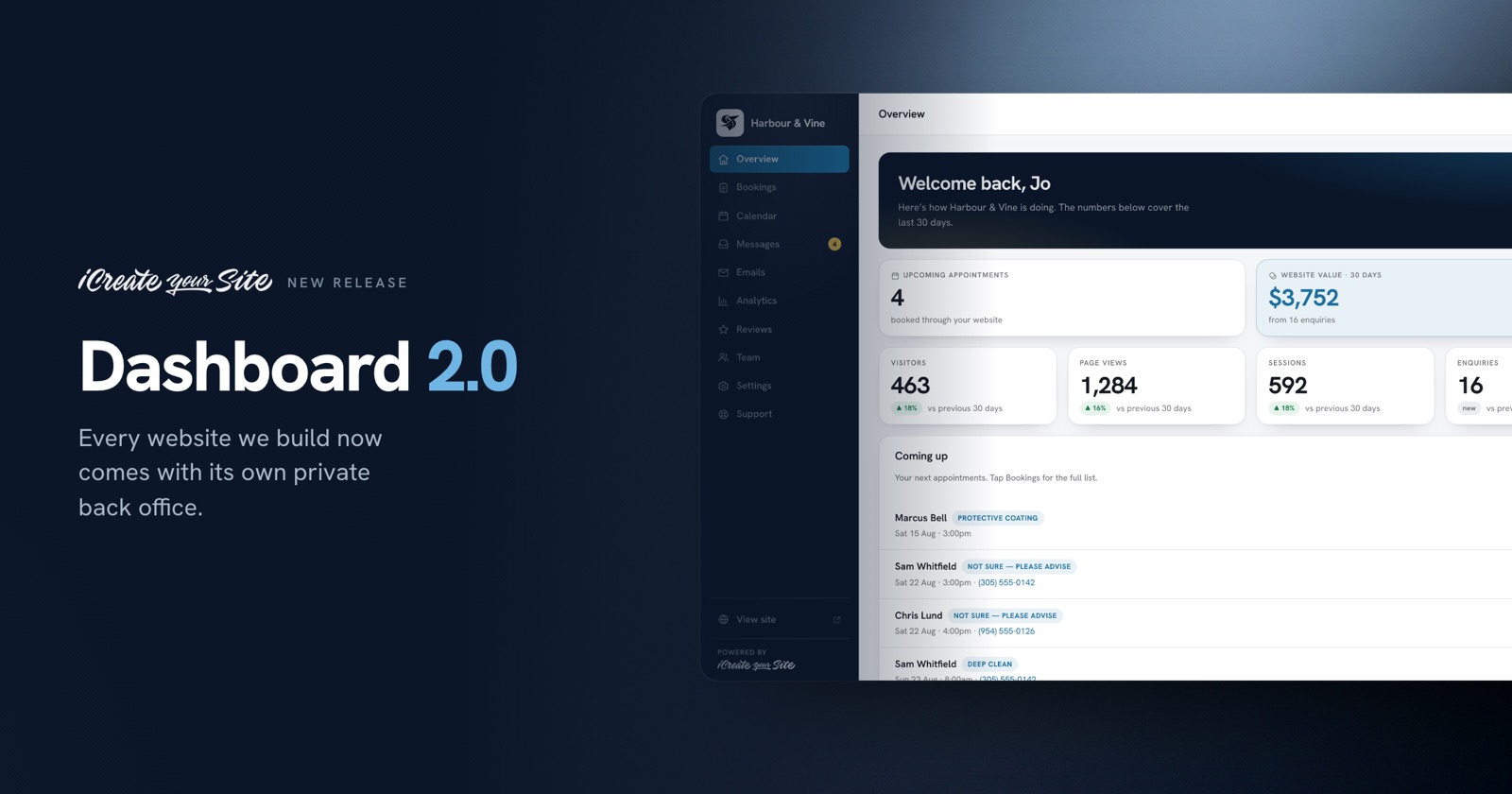
So we built something into every site we make. It's called Dashboard 2.0, and it's a private client dashboard that lives at yoursite.com/login.
What is a client dashboard?
A client dashboard is a password-protected area on your own website where you can see how the site is performing and manage the enquiries it produces. It is not a website builder and it is not a CMS — you don't edit your site from it. It answers one question: is this website doing its job?
Every dashboard we build includes the same core tools. The layout, the order of the tabs and the wording are identical for every client. The only things that change are your brand colours and your logo.
What's inside
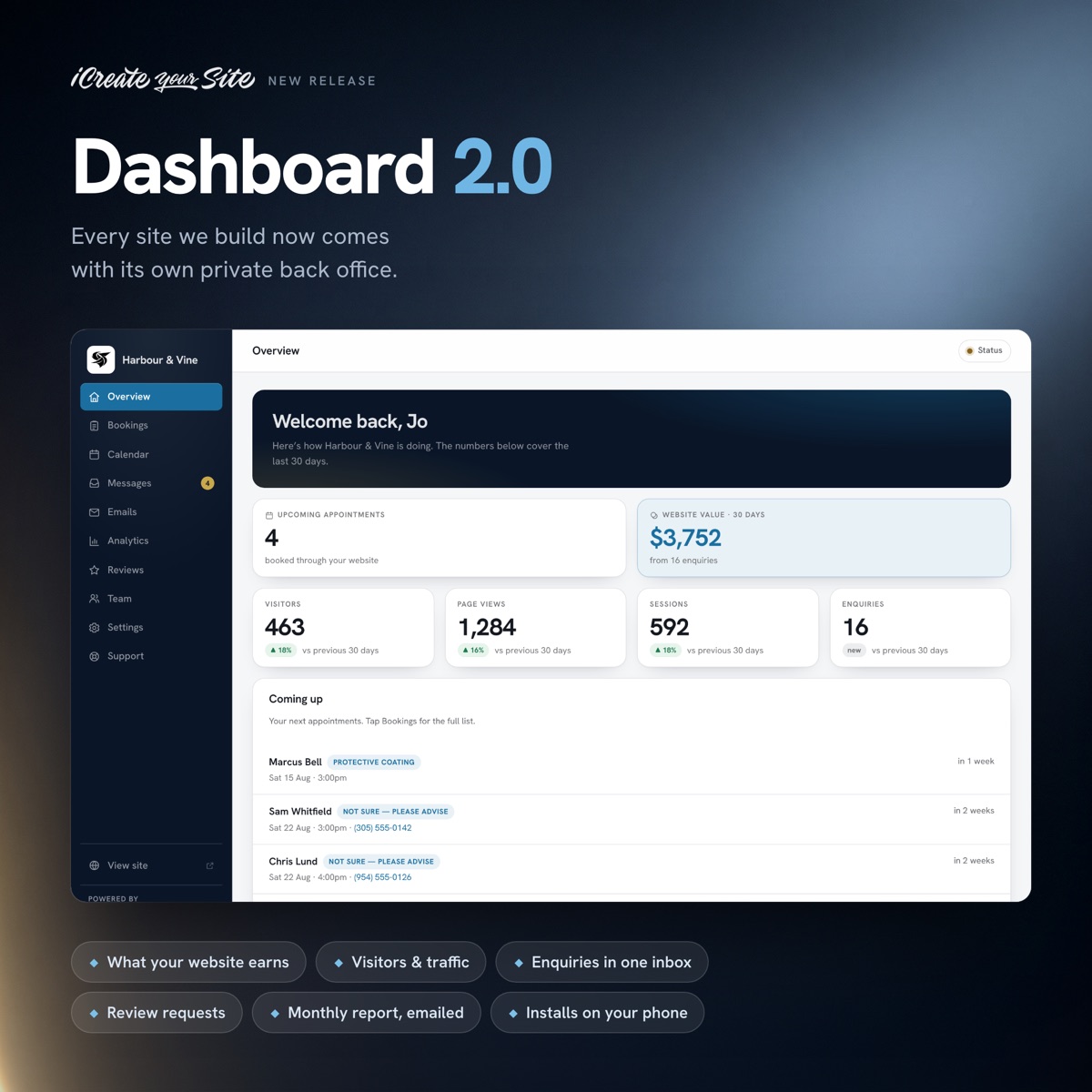
What your website has earned you
This is the number most owners have never seen. When your prices are published on your site, someone who picks a service in the contact form has already seen what it costs and chosen to enquire anyway. We value each of those enquiries at the lowest published price for the service they chose, add them up, and show the total for the period.
It is deliberately conservative. We never call it revenue, because we can't know which enquiries you closed. It's a floor — the least your website plausibly generated. For most clients that figure comfortably exceeds what they pay us, which is the entire point of showing it.
Visitors and traffic
Visitors, sessions, page views, your top pages, and where people came from — Google, social, direct or referral. We connect Google Analytics for you and set up the property, so there's nothing for you to configure.
We also track the things most analytics setups miss: taps on your phone number, your WhatsApp button and your text link. On a phone, a tap-to-call is often the most valuable action on the whole site, and it usually goes uncounted.
Every enquiry in one inbox
Contact form submissions are saved to your dashboard as well as emailed to you. If an email gets buried, filtered as spam, or deleted by accident, the enquiry is still there. You can see who wrote in, what they asked for, and when.
Google review requests
Finished a job? Put the customer's email in, and the dashboard sends a branded request with a direct link to your Google Business Profile. You can see the exact email before it goes, and a log of everyone you've already asked, so nobody gets pestered twice.
A monthly report, emailed to you
On the first of every month you get a plain-English summary of the month before: visitors, where they came from, phone taps, enquiries received, review requests sent, and the estimated value of the enquiries your site produced. You don't have to log in to get it. It arrives.
Bookings and calendar, if you take appointments
For clients whose customers book dates — trades, salons, clinics, venues — the dashboard adds a bookings list and a month calendar, so the day's schedule is visible without digging through email.
It installs on your phone
The dashboard is a progressive web app. Add it to your home screen and it opens like a normal app, full screen, with your logo as the icon. No app store, no download, no separate password to remember.
A live status check
A small indicator in the corner shows whether your website is responding, when your SSL certificate expires, whether your email sending is verified, and whether analytics is still receiving data. Every line is a live check, run daily. If something breaks, we're alerted before you notice.
Logins for your team
Most of our clients are a single owner, and one password is right for them. If you have staff who need access, we can switch on individual accounts so each person signs in with their own email — and you can add or remove people yourself.
Who this is for
Dashboard 2.0 is built for small and medium businesses that rely on their website to bring in work: contractors and trades, law firms, clinics and medical practices, salons and spas, transport and logistics companies, event venues, and retailers. If your website's job is to produce phone calls and enquiries, this shows you whether it's doing it.
What it costs
Nothing extra. It's included with every website we build and with our ongoing website management plans. It isn't an upsell and it isn't a separate subscription.
Frequently asked questions
Can I edit my website from the dashboard?
No. It's a reporting and enquiry tool, not a website editor. If you need a change to the site, you send it through the support form in the dashboard and we make it.
Do I need to install anything?
No. It runs in your browser at yoursite.com/login. You can optionally add it to your phone's home screen, which takes about ten seconds and requires no app store.
Is my data private?
Yes. The dashboard sits on your own website's hosting, behind a password. Your enquiries and your analytics are yours.
What if I already have a website?
We can add a dashboard to an existing site in most cases. It installs alongside what you already have, so your live contact form keeps working while we set it up.
How is the website value figure calculated?
Each enquiry is valued at the lowest published price of the service the customer selected in your contact form, then totalled for the period. It's a conservative floor, not a revenue figure, and it's only switched on for businesses that publish their prices.
See it for yourself
If you'd like a look at a real dashboard before deciding anything, get in touch and we'll walk you through one. And if you're weighing up a new website, every build we do now comes with this included — see our website design services or our pricing.